|
File Server : Object Access Audit
2017/01/31 |
|
Configure Object Access Audit.
|
|
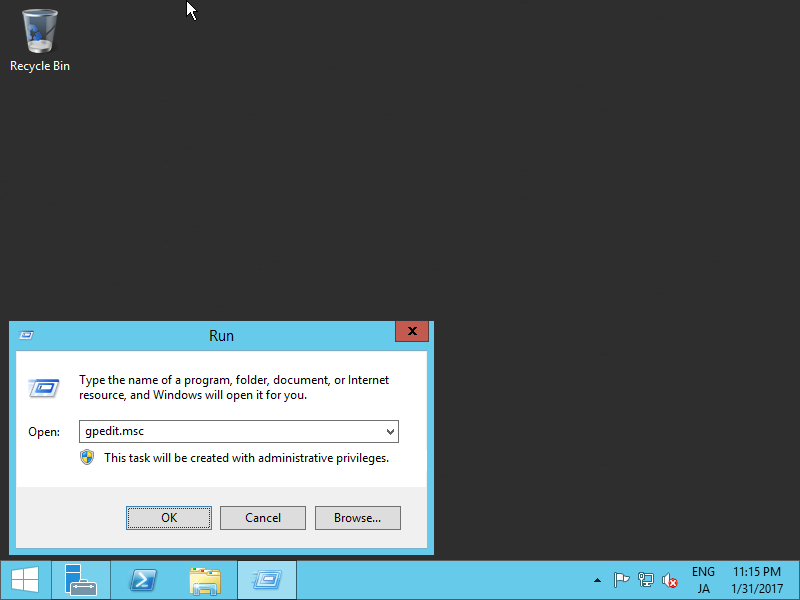
| [1] | Enable Object Access Audit setting first. Run [gpedit.msc] like follows. |
|
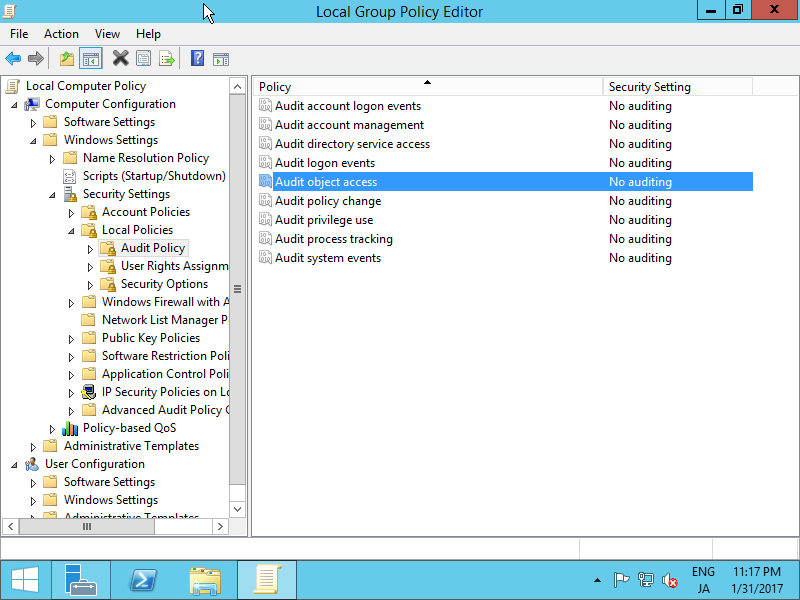
| [2] | Select [Audit Policy] on the left pane like follows, click to open [Audit Object Access] on the right pane. |
|
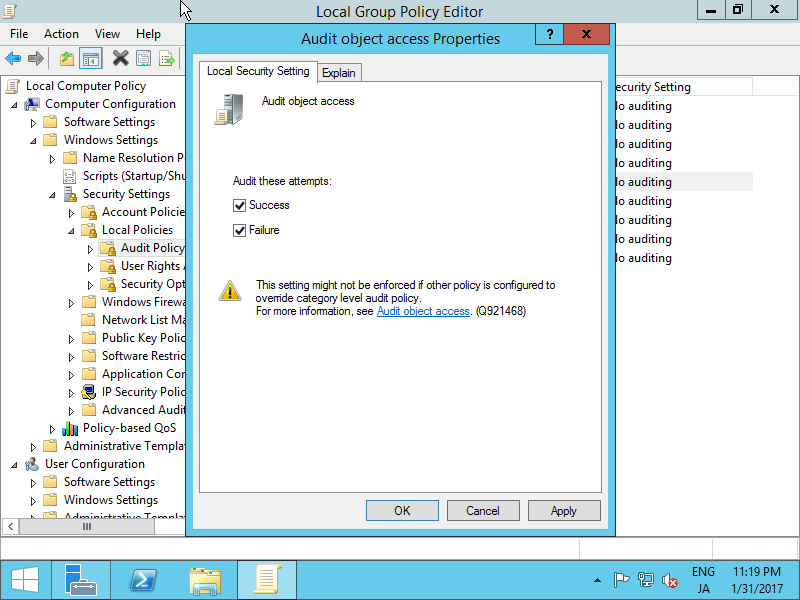
| [3] | Check boxes of atempts you'd like to audit. |
|
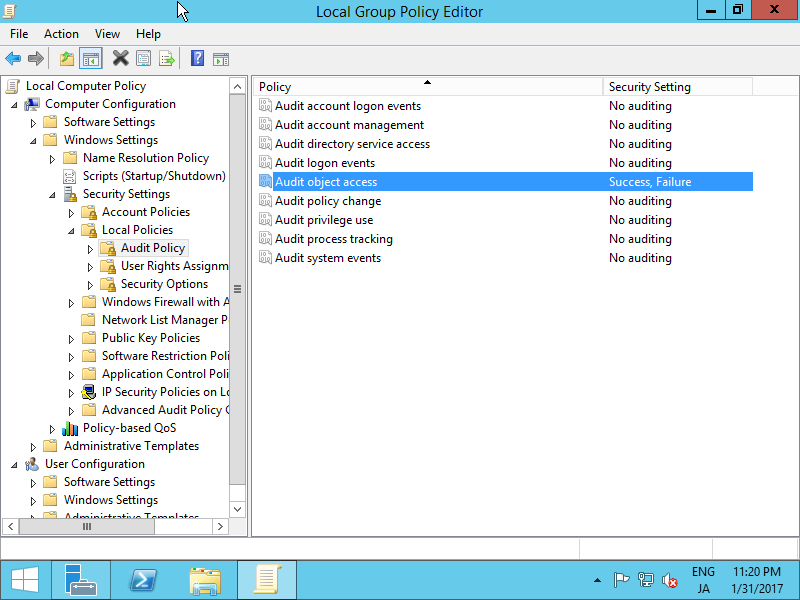
| [4] | Confirm settings and close Group Policy Editor. |
|
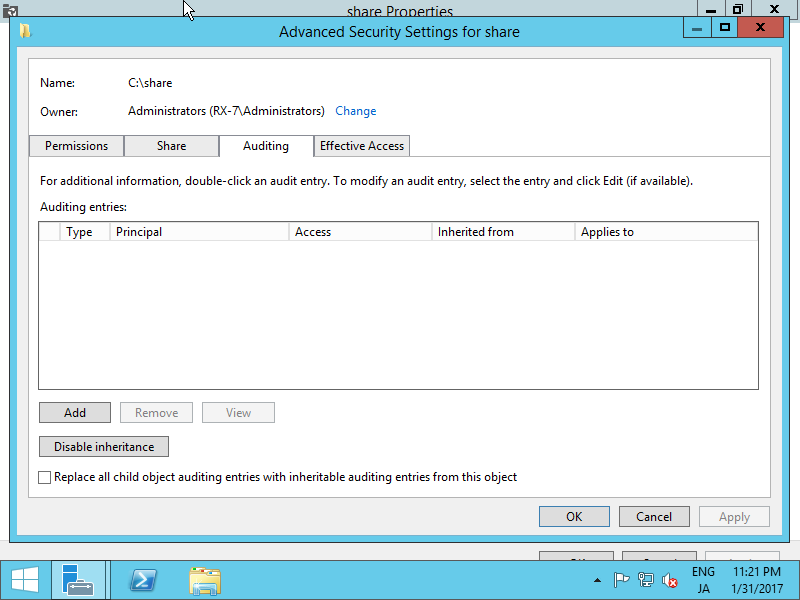
| [5] | Open the property of a Share you'd like to audit and move to [Auditing] tab and click [Add] button. |
|
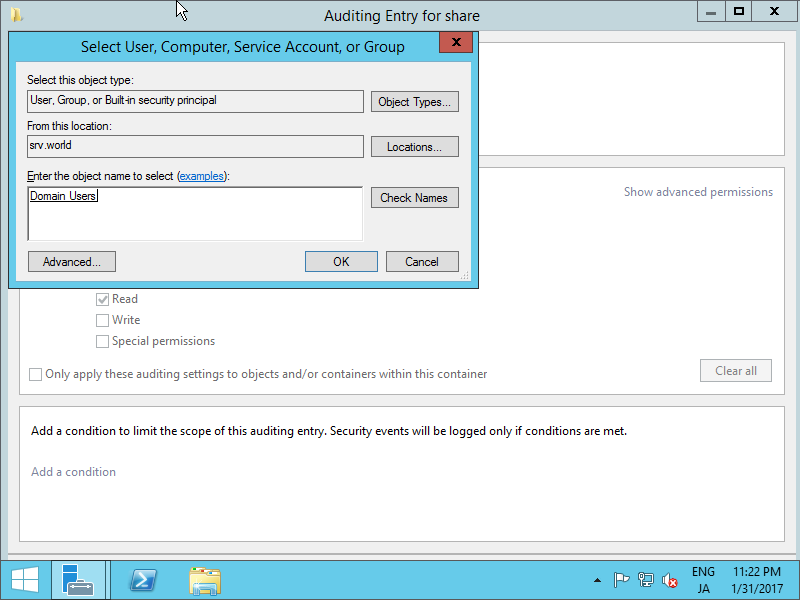
| [6] | Input username or group name you'd like to add auditing and click [OK] button. On this example shows to add "Domain Users" group. |
|
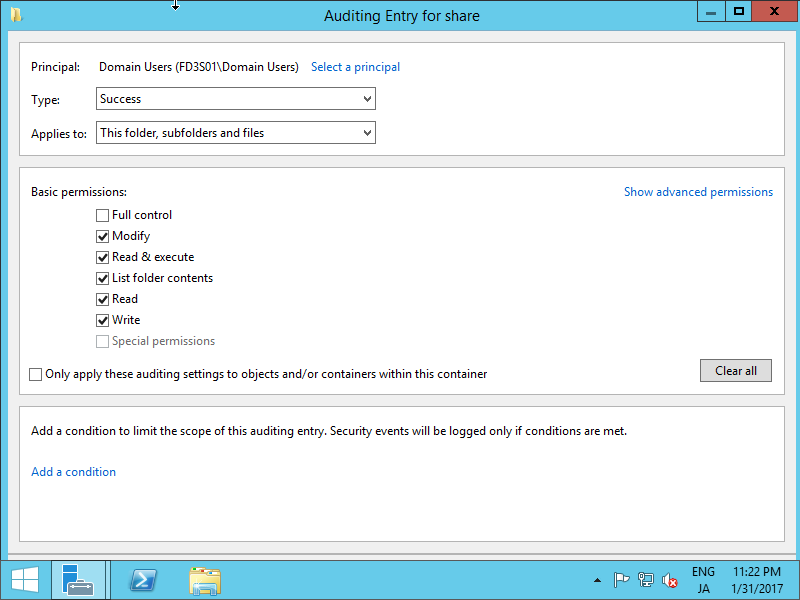
| [7] | Check boxes you'd like to add auditing and click [OK] button. |
|
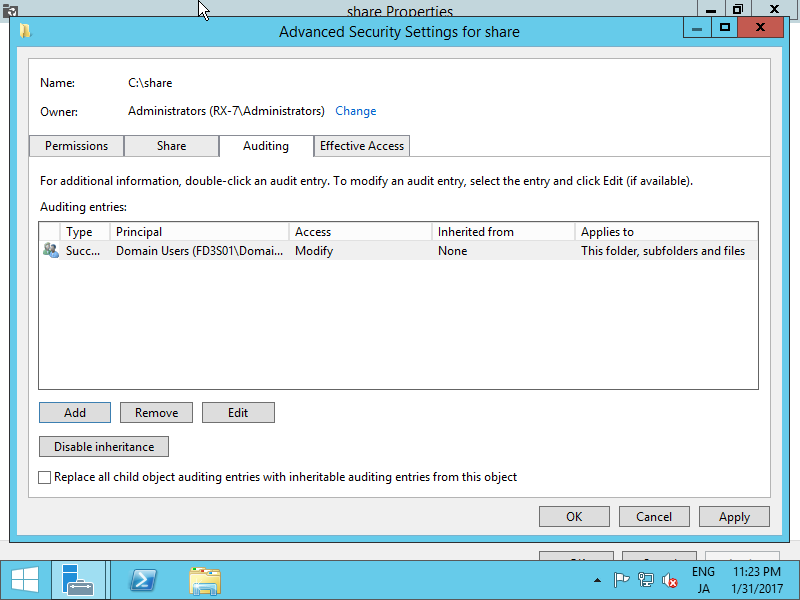
| [8] | Confirm settings and click [OK] button if all OK. |
|
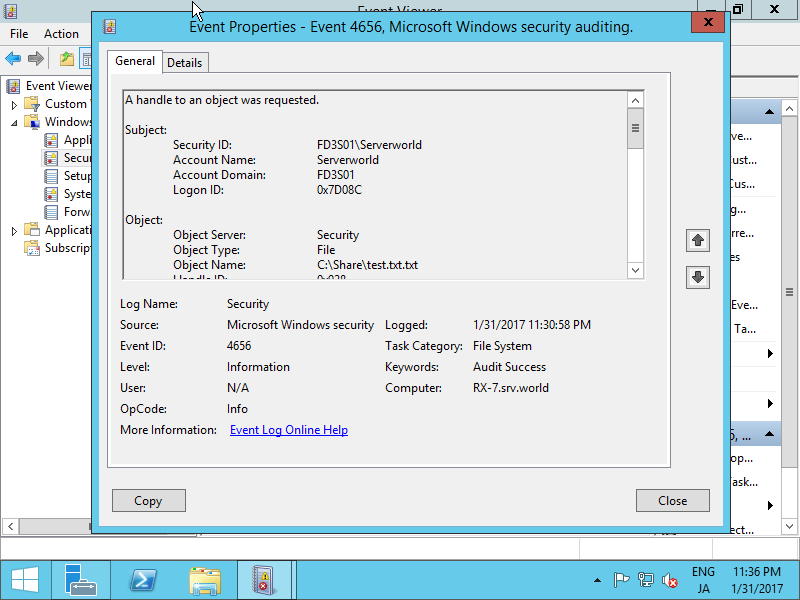
| [9] | When audit target users or groups access to the Share, the action will be loged like follows. |
|